Symple Shortcodes Free WordPress Shortcodes Plugin

Currrent Version: 1.4 (support s WP 3.6)

Tired of using a theme with built-in shortcodes, switching themes and then losing all your awesome styles? No worries, this is why I’ve created the Symple Shortcodes plugin! Now you can add buttons, highlights, boxes, toggles, tabs, pricing tables…among other awesomeness and take them with you no matter what theme you decide to use.

We realize there are already some free shortcode plugins out they either only include a very few amount of shortcodes, they are way too complex, not well coded, they were not styled to our liking or they weren’t free. We wanted to create something that was 100% GPL so you can use it and abuse it on all of your websites and client projects – and of course that’s very easy to use and minimally styled so it can fit most sites right out of the box or be easily customized.
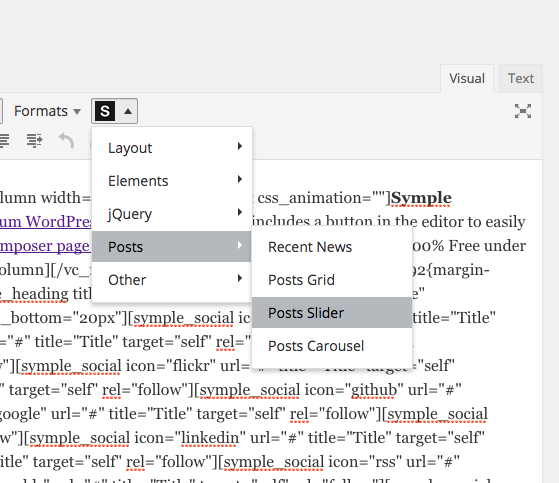
symple-shortcodes-plugin-screenshot

Guides: Have a look at all the available parameters to use with the included shortcodes as well as have a look at the usage video.

Important: This is a free plugin and is distributed as-is without any official support from the author. However, verified WPExplorer customers (our commercial themes) will have access to support for this plugin in the forums at WPThemehelp.com.

Widget Support:  You can easily add support for shortcodes in your widgetized areas by adding the following function to your WP install or using this plugin:

//Add shortcode support to widgets
add_filter('widget_text', 'do_shortcode');

Shortcodes Included

  • Social icons
  • Buttons
  • Highlights
  • Boxes
  • Testimonial
  • Toggles
  • Accordion
  • Tabs
  • Callouts
  • Dividers
  • Skill bars
  • Pricing Tables
  • Columns
  • And much more!

166 Comments

  1. Steven Gliebe says:

    This looks like an ideal solution for the average theme user that just wants some columns and such.

    Are you going to put this up on the WP.org plugin directory? I hadn’t seen anything there this clean or with responsive styles last time I checked.

    • AJ Clarke | WPExplorer says:

      This was the intention, to make something pretty simple for those that don’t need tons and tons of stuff slowing the site down. Also, the js for any tabs/accordions won’t load unless they are being used, so you wont be loading those unnecessary js files if only using the columns ;) I might consider putting on WP.org, but at the moment I don’t have the resources to provide full support on the WP.org forums for the plugin. I am thinking maybe I’ll make a pro version in the future.

      Thanks for stopping by Steven!

  2. asdevargas says:

    Hello!
    I was testing your fantastic plugin on your Pytheas theme, it’s very useful, but doesn’t work for visualization on iPhone: instead of reorganizing the columns one after another, it shows them one next to another, very tight on a small screen! So I had to go back to old shortcodes…

    ¿Could it be possible? :/

    • AJ Clarke | WPExplorer says:

      Hi there…Actually I haven’t had the time yet (on vacation for the holidays with family) to go through and add support to all my themes for responsiveness for the shortcodes plugin. However, I have a page with a little guide on how you can do so;

      http://www.wpexplorer.me/symple-shortcodes/responsive/

      Basically I can’t have the plugin be responsive by default, because if someone uses it on a non-responsive site it wouldn’t be good. The responsiveness is something that should be added in the theme or separate.

      Actually, I’ll probably make a second plugin with the responsive code when I get back ;)

      -AJ

  3. Craig McKechnie says:

    This look awesome and definitely something I want to pick up. I did just have one question, however:

    Using this with a Framework like ZURB’s Foundation, would it be a pain and end up just doubling the features of the framework or do you think I could use the CSS Grid of Foundation and these shortcodes?

    I really like this… and Foundation! Only reason I ask. I do wonder if this would just outright replace the need for Foundation for me but this isn’t meant to be a full-fledged framework that’s responsive, correct?

    • Craig McKechnie says:

      Also just re-read the “Responsive” area because I forgot about it before I posted the above. That answers that, a bit, for me. Thanks!

      • Kyla says:

        Not quite sure I am understanding the question Craig. Basically my shortcodes adds the shortcodes functions and just a little CSS to style them. You should be able to use it with any theme/framework. It is possible that some themes/frameworks might cause some css conflicts but only with the plugin not with your theme. For tabs/toggles it loads js only when necessary so it won’t consume unnecessary resources.

        You know…you can always test out the plugin and if you find it’s not right for you, you can de-activate it ;)

  4. Marco says:

    Symple is amazing. THANK YOU.

    Unfortunately, I still have a question:

    On http://www.wpexplorer.me/symple-shortcodes/ the testimonial shows an image inside the testmonial.

    Checking the source code it looks like you simply added a left aligned image. What code did you use?

    Maybe something like…

    [symple_testimonial by="John Doe"]My testimonial sample text[/symple_testimonial]
    

    And what about the image size? 80x80px as on your example page?

    Thank you :)

    • Kyla says:

      Correct, all I did was insert an image into the post. It can be any size you want and of course completely optional. For example, if you have a longer testimonial, maybe you’ll want a bigger picture ;) You can use the WordPress align buttons in the post editor to align it to the left or the right.

      • Marco says:

        Thanks, Kyla!

        By default it doesn’t work here :’(

        This is the result:
        s14.postimage.org/qo0xakqxd/wpexplorer_temp.jpg

        (at the top it’s the WYSIWYG editor from WP, second image is the HTML editor of WP and third one shows the preview)

        My alignleft class looks like this:
        “float:left, margin:4px 10px 6px 0px, padding: 0px and display:inline”

        Do I need to use a different ‘alignleft’ class? (I did not try yet)

        Or could be the text alignment? As you can see on the preview everything is justified and not left aligned. But I wouldn’t want to change that… :(

        Unfortunately I cannot point you to a live preview because it’s running on localhost :(

        Sorry again for the silly questions.

      • AJ Clarke | WPExplorer says:

        It looks fine, the image just needs to be pushed down a bit to match the text line – this is a simple CSS customization you’ll need to do. Maybe you can just add some inline style to the image so you can add a top margin and move it down a bit. Do a Google search if you are unfamiliar or hire a web designer – best of luck!

      • web master says:

        Hi Marco & Hi AJ,

        I just used the Symple Scode.

        Many thanks to AJ Clarke, its superb set of codes – very nice! I request you to allow my comment to appear here, it might help others who are struck in this. Cheers!

        Marco, I could help you here as I tried and in a few minutes time I got this fixed.

        Do these steps:

        STEP 1. open .css file (e.g root: /wp-content/plugins/symple-shortcodes/includes/css/symple_shortcodes_styles.css), and change two things: line-height (7th line is the css below) to 20px so that the texts have some good line spacing between them, then change padding value to 25px (5th line is the css below)

        .symple-testimonial-content {
        font-style: italic;
        position: relative;
        background: #f5f5f5;
        padding: 25px;
        color: #666;
        line-height: 20px;
        border-radius: 2px;
        -webkit-border-radius: 2px;
        }

        STEP 2. Apply the short code as below including image tag in as I have put (note the 25px here will correspond with the 25px of the css as above, it will give the image and text a nice spacing around)

        Image tag is (as below):

        So the full short code will be (as below):

        [symple_testimonial by="Author Name"]Edited Dummy Text[/symple_testimonial]

        Note: Make sure your put several text lines so that its vertically longer than the height of the image BUT not too much else the Author area elements will de-align – HIT & TRY as you like.

        Hope this works for you too. Do let me know how you get on it.

        Webmaster (UK)

      • AJ Clarke | WPExplorer says:

        Thanks for stopping by Marco!

        Couple things:

        * Don’t edit the plugin, because if you ever update you will lose your settings. You can add custom CSS to your theme.

        * The spacings, floats, aligns such should be added by the theme that’s why they aren’t added in the plugin, so it is going to depend a lot on what theme you are using how the testimonial with the image will look.

  5. Palvos says:

    Hi,

    First of all i want to thank you to make this awesome plugin available for free. For this reason i don’t expect any support. But it would be nice if you could help me with my problem if there’s an easy fix

    As you can see on the site i’m developing: http://wikings.be/alpha/ the text in the columns on the front page can’t be selected in safari on a mac. This also means links do not work.

    The strange thing is that is works fine in other browsers and iPhones. Does this have anything to do with the theme (that is also a theme from you).

    It’s a site for a student club, not for commercial purposes.

    Thanks!

    • AJ Clarke | WPExplorer says:

      I’m thinking its the carousel below it causing issues. Right after the last set of columns add the clear floats shortcode and see if that helps.

  6. vahid says:

    thanks a lot that’s great.
    but if there were an option to choose the distance between lines and font it was great

    • AJ Clarke | WPExplorer says:

      What do you mean between “lines and font” ? Also, there is a spacing shortcode you can use to add spacing between any element.

      • vahid says:

        You know I can’t speak English well. I mean if there were an option to change the font and also to change space between lines (thanks for help for adding space)
        Also there’s another problem. I’m Persian and when I use it, it changes everything to left to right but Persian is right to left. How can I make it right to left? in some ways I do it for example I add a space by enter or things like this but I wish I could change everything right to left

      • AJ Clarke | WPExplorer says:

        This isn’t really an issue with the plugin, you will simply have to add your own CSS for rtl alignment (via your theme) – see the Codex on RTL Support.

  7. Muhammadibn says:

    Cool Plugin. Really good design also. How about adding an options panel like what woothemes. When you click on the shortcode selector it opens up a modal window allowing easy selection of options. Makes it simple for the layman.

    • AJ Clarke | WPExplorer says:

      Glad you like it!

      I think it’s an unnecessary use of server resources and not future proof. Because the button inserts the shortcode with all possible options in plain english it should be very simple to understand.

      Also, working on a premium version (hush, hush) ;)

    • AJ Clarke | WPExplorer says:

      Yes. Super easy to do. You can add the following filter to your functions.php file:

      //Add shortcode support to widgets
      add_filter('widget_text', 'do_shortcode');
      

      I’m sure there are plugins out there that will do this as well.

  8. gajodoporto says:

    Hi. Thanks for this plugin.
    Is there a way to implement this in a theme i´m building, without the plugin installation method?
    I´m trying with my functions theme file, but still I wasnt able to make it work.
    Thanks

    • AJ Clarke | WPExplorer says:

      You shouldn’t do that. You should just tell your customers to download the plugin. Or package the plugin with your theme files and use the TGM activation script: https://github.com/thomasgriffin/TGM-Plugin-Activation – Basically scrapping someone’s hard work and throwing it into a theme and saying it’s yours is not right. Also, shortcodes shouldn’t be built-into a theme they SHOULD be plugins. If your customers use your theme then switch and the shortcodes were built-in, they will lose all the shortcodes.

      If the reason you are doing that is to style them differently, then what you should do is dequeue the plugins stylesheet to remove all styling so you can add your own.

      • gajodoporto says:

        Hi. I´m just curious to see how hard it is to acomplish that.
        of course, if i would sell a theme whith this work you made, you would have the credits for it, no questions asked.

        I´m new to wordpress development, so I´m learning with this freebies you guys post.

        Thanks

    • AJ Clarke | WPExplorer says:

      It’s not hard at all, pretty much cut/paste. But honestly shortcodes shouldn’t be built into a theme, which is why I’m reluctant to show you exactly how to do so. You should check out the plugin I mentioned ;)

  9. custardmarv says:

    AJ Clarke

    I love your work mate. Your themes are very good indeed. This plugin will make my life so much easier when generating sites.

  10. MemeXLT says:

    AJ, there is a way to change the width of the Toggle, Tabs and Accordion?

    What I’ve been doing is making columns and inserting these shortcodes into de columns and sizing them as three-fouth for example, it looks great on PC resolution, but at the iphone screen it looks very bad, the text and the boxes doesnt resize very well.

    Thanks.

      • MemeXLT says:

        Yeah i already checked it out. I’ll keep trying.
        Anyway, is there is a way to size the Symple Tabs, Toggle and Accordion directly in the post? i don’t want to use with the columns.

  11. vahid says:

    Oh there’s a problem with the new version of wordpress! from the time that I updated to 3.5 boxes, accordings, tabs and some other things doesn’t work.

  12. Sylwia says:

    Hello, thank you so much for the great plugin.

    I have one little question. I’m adding the pricing tables to my site, but the parameters page doesn’t indicate what shortcode is used to change their color. (There are black and red ones in your example).

    Could you help me?

    Thank you!

    • AJ Clarke | WPExplorer says:

      You are welcome, glad you like it ;)

      There aren’t any parameters for that. You can only change the button color with the parameter, to change the actual color design you would want to use CSS. For example if you look at the demo for the Board theme which I co-own on the shortcodes page you can see how we’ve styled the pricing tables to look differently. You would do this via your child theme or a plugin that lets you add custom CSS.

  13. Tiffany Smith says:

    I’m having a lot of trouble styling the symple-tabs. I’d like to move the title text down from the very top of the tabs (so that it’s more in the middle; it’s very ugly against the border), and I can’t figure out what CSS style to modify to add proper padding to the text; everything I’ve tried seems to mess up the whole tab. The active/first child tab has about 4px of space, and I see that under .symple-tabs ul.ui-tabs-nav .ui-state-active a in the stylesheet, but I can’t reproduce even that little bit of padding for the non-active tabs.

    Any help would be appreciated.

    • AJ Clarke | WPExplorer says:

      It’s likely your theme or a plugin on your site is causing differences in the styling. You should check with “FireBug” to see where the styling is coming from and you can add custom CSS to your site to get it looking how you want.

  14. wadestubanas says:

    Hello, I am struggling with the pricing tables. They seem to always be stacking, despite my addition of position=”last”

    Please advise.

    Wade

    • AJ Clarke | WPExplorer says:

      I’m looking at the code and the main pricing table is being closed before the second one is added. Make sure the ending for the entire pricing table is added after the second one and there isn’t an extra after the first.

      • wadestubanas says:

        That fixed it, thank you so much for your response on a Saturday!

        Is there a good place to post bugs/questions for the free themes? I sent you a message on Facebook but that might not be the best place. Please let me know.

      • AJ Clarke | WPExplorer says:

        Support is for paid customers only. If you purchase one of my themeforest themes then you gain access to my support forum. With hundreds of downloads a day there is no way possible I can (or should) support all that for free.

  15. wadestubanas says:

    In the pricing tables, how do I change the color of the boxes (it is not listed in the parameters)?

  16. Joco says:

    Hi AJ, thanks for delivering this excellent plugin to the WordPress World :) Truly appreciated ! I wanted just to make sure and to hear from you about the licensing, I see has gpl3 and I understand all that, but it’s good if I also ask you about if this plugin can be used in marketplaces like themeforest for selling templates ofcourse with credits to you mentioned in documentation and also in the product display on sale page? Hope I will get right answer from you because I don’t know where to contact you so I post this here… again great work and thank you very much.

    • AJ Clarke | WPExplorer says:

      Of course you can use it on themes for sale as long as you provide credit ;) I suggest and some people are already doing it, to use the TGM Plugin Activation Script so you can place the plugin zipped inside your theme and have the plugin auto activate with your theme for a seamless interaction with your customer. Since a lot of people are using my plugin on their free themes if you use include support (responsive and/or custom styling) for your theme I’m sure there are people out there that might be more willing to switch to your premium theme knowing their shortcodes will remain. Also, since you can provide it as a packaged plugin they know they can always switch from your theme to another and keep their shortcodes – yay!

      Hope this helps! Best of luck with your endeavors.

  17. Joco says:

    Hey AJ, Thanks for the quick reply ! That’s the main reason that I want to use shortcodes via plugin, yup tgm is excellent for packages, integration as a plugin is better also for other reasons like laters will be less support for those confused customers, and no weird markup left if they switch templates etc etc. Ok thanks again and keep it up ! Credits go all up to you, truly appreciated (saves lots of time except some custom shortcodes that I will integrate to match the theme)… cheers

  18. sciborg says:

    Hi AJ,

    Thanks for this fantastic plugin. I’ve been using it successfully on the website I was working on but, now, for some reason unbeknownst to me, the toggle function is not working anymore! When I try other functions such as box, button, etc. they work. Interestingly, the accordion, tab and toggle do not function correctly. i.e. when you click on the toggle, it does not expand. So, the plugin itself works but certain functions are not working correctly.

    I have tried deactivating the plugin and reinstalling the plugin to no avail. I’m running WordPress Version 3.4.2 and the only other plug in I have activated is CaptionPix. Any ideas as to what it might be?

    Thanks!

  19. sciborg says:

    Correction: I have Akismet, Hover and Jetpack in addition to symple shortcodes as the plugins currently installed.

  20. sciborg says:

    Thanks AJ! Using Firebug, I did indeed find a jQuery error but I have no idea how to fix it (I’m not a coding expert by any means but am technically inclined). Error is below….

    [edited]

    • AJ Clarke | WPExplorer says:

      Did you try disabling any active plugins on your site? Also try switching to the default WP theme to make sure the theme isn’t conflicting.

  21. Murray Anderson-Clemence says:

    Hey AJ, great short codes :)

    I’m also having a conflict with my theme and jQuery, is their a way around this. Thanks Muzza

    • AJ Clarke | WPExplorer says:

      The plugin has been coded in non-conflict mode and the jQuery used or tabs/accordions is loaded from WordPress core. If there is an issue try disabling other plugins to see if it’s another once causing a conflict. It’s pretty unlikely its Symple Shortcodes. Do you have the js error you’re receiving?

  22. mrnekketsu says:

    Thanks for the plugin! It’s been a great thing to use for fast web development. One minor thing. Is it possible to have the buttons a uniform width size, as opposed to the size adjusting to the text within the button? Just an example, I have two buttons next to each other with different words in each of them. One is larger than the other, but it is desired to have them the same width size, regardless of text within the button.

    • AJ Clarke | WPExplorer says:

      Just add some custom CSS to your site to give the buttons a fixed width. Pretty sure the button class is just symple-button….

      .symple-button{ width: your-desired-width-in-pixels; }
      
  23. JXL says:

    I cannot get the pricing tables to show up next to one another, keeps being placed below. I changed the position to last but it’s not happening. I tried to insert the tables in columns to see if it would solve the issue but then the table sizes change drastically. Help?

    • AJ Clarke | WPExplorer says:

      position=”last” should work unless there is an something conflicting on your site. Have a look at your CSS.

  24. JXL says:

    The code for each table was closed and I didn’t realize it. I do have another question though, how do I make the table a featured one? I noticed that in your examples you have a table with a red header, but I can’t figure how to make the red one come up. Thanks for your help.

  25. bucur says:

    I tried another plugin but it was so hard to walk with him, this plugin is so easy to use, thanks. You make things so simple and eficiente.Am a small question: is it possible integration plugin in wordpress theme directly? Thanks for the reply Aj…

    • AJ Clarke | WPExplorer says:

      Pretty sure it isn’t my theme, but something is loading a very old version of jQuery on your site and via the Google API which is a big no-no. See your source code. If it’s a plugin causing the issue (most likely) you should fix or deactivate it. My shortcodes plugin is well coded and shouldn’t conflict.

  26. haryotw says:

    Can I symple-plugin to enable shortcodes in the mobile version? I happen to use a plugin mobilepress. When using a mobile display, the shortcode does not appear. Help me Please:)

    • AJ Clarke | WPExplorer says:

      This is an issue with the mobile plugin, not the shortcodes plugin. I can’t assist you.

  27. James Wanless says:

    I’m glad you provided a snippet of responsive CSS to use, but the rationale you’ve used for not making them responsive by default seems to not make much sense, “The shortcodes aren’t responsive by default. Why? Well that is simple, if your website isn’t responsive then it would be strange if your shortcodes are.”

    If your theme isn’t responsive, then having responsive CSS in your plugin won’t make any difference, but putting it in there so users don’t have to either write custom CSS or grab yours seems unnecessary. Making it responsive by default makes far more sense in truth.

    • AJ Clarke | WPExplorer says:

      It does make sense and there are a few other reasons as to not have the responsive CSS built-in, but I don’t have the time to get into it. All of my premium themes and my newer Free themes already have the responsive CSS built-in them (and edited accordingly to match the heme) ;) The plugin was created with my customers in mind, so they won’t have to do any CSS copying/pasting if using any of my latest themes.

  28. James Wanless says:

    Also, I really like the demo page, but in looking at the parameters it would help if you posted all actual shortcodes. For those of us who don’t use the RTE and do our own markup/CSS, having a full reference of shortcodes and being able to use them easily without the RTE would be very helpful. Great plugin, but having a shortcode link/button on the non-RTE editing panel would be a huge plus.

    • AJ Clarke | WPExplorer says:

      I guess I can update the demo site to include examples of the shortcodes. Should only take a few minutes. Glad you like the plugin. Or if you want to send me a link to a doc with your suggestion style I could use it to update my site.

      • James Wanless says:

        Cool. I don’t really have a suggested ‘style’ in mind, so much as, first, being able to add them from the non-RTE editor. Some of the other shortcode plugins enable a small icon that looks like [ ] beside the media uploader, so using the shortcode is not dependent on the rich text editor.

        Most of those plugins don’t output nice markup and add p and br tags, while your output is nice a clean. In two examples I’m thinking of, clicking that icon opens an overlay from which you can choose the shortcode. You’re doing mostly the same thing, but if I’m not using the rich text editor, the option to add your shortcodes is gone and then I have to add it by hand. That’s no biggie at all for me, so if you can’t add the little icon as I’ve suggested above, full syntax reference would be really helpful.

        Switching from HTML mode to RTE and back again, as you know, mucks up the layout something awful in WP.

      • AJ Clarke | WPExplorer says:

        Oh I see what you are asking…you mean so it shows up while coding in HTML mode?

        I have a premium version of the theme in the works (haven’t told anyone yet) that’s going to be awesome. The reason I don’t want to add all this extra stuff in the free plugin is because within hours someone will steal my hard work, turn around and sell it. And the sort of back-end I’m working on is very powerful and requires a lot of time/effort.

        So maybe keep an eye out for the premium version in the future ;)

      • James says:

        Well, this is just a plugin, not a theme. And, while I understand developing some premium stuff for payment, IMHO making it usable in both HTML mode and RTE mode doesn’t risk it being stolen. Since you’ve released this as a free plugin, it’s open source and people can use and modify it as they wish anyway. It would very easy to just include it in the functions file and go to town if people were so inclined.

        My only comment about making it hard to use in HTML mode, is that it renders it more inaccessible (and far less useful) to those of us who don’t use the RTE. I understand your logic, but there are lots of other premium features you could build while still making shortcodes more easily available in both modes.

      • AJ Clarke | WPExplorer says:

        Sorry I think I confused you…I was referencing the functionality you mentioned to be able to click and have a window open up where you can select a shortcode and edit it and then insert to the post (I thought this was something you were requesting as well as a necessity). This is something we are working on for the premium version.

        I agree having it available in HTML mode would be great and definitely a worthy update for the free version. I won’t have the time to look it over for a few days as I am super busy atm. But will hopefully update soon. I’ve added a Google Map shortcode, some dividers and shortly support for Awesome Font Icons. I’ll look into having a button in the HTML mode editor as well in the next update.

  29. Castle says:

    Hi AJ,

    Great plugin indeed!

    Just one thing I noticed is that you cannot select the content and then press the shortcode button on the visual editor. If you do that, the shortcode will replace the selected text by your default one. Is there any fix for that?

    Cheers!
    Castle

    • Kyla says:

      That’s not how the plugin is intended to work so it’s not really an issue that requires a “fix”. We’re working on a premium version that will provide a super easy UI so keep an eye out for that!

  30. bryce hipps says:

    I figured I’d go ahead and add since i didn’t see it on here before. If you need to make the tabs responsive, just add this one line of css:

    Responsive Tabs CSS:

    .symple-tabs ul.ui-tabs-nav li {
    width: 100%;
    }

  31. James Wanless says:

    “I agree having it available in HTML mode would be great and definitely a worthy update for the free version … I’ll look into having a button in the HTML mode editor as well in the next update.”

    Cool. Very nice, as that’s all I was really talking about. Comment streams can be a little manky for real conversation ;-) I’m basically using this in my own customized Twentyeleven child theme and might consider including it in a custom built theme for work. If I include your code and build it into a functions file, proper attribution would be included of course.

  32. .tif smith (@tif_smith) says:

    Thanks for your previous help! I finally figured out styling of the shortcodes. Now, I’d like one post type on my website to pull up meta content in tabs. Is it possible to call up the shortcode in HTML? The variables for my meta content are too complex to just put into the “do_shortcode” function, so being able to call up the HTML and nest my php in Symple Shortcode-styled divs/uls/lis would be so much easier.

    I tried it in HTML in a test page (http://www.worldstrides.org/test-page/). It was close, but still broken. This is not HTML in a custom page template, which I also tried, and it didn’t work.

    I’m going to venture and guess that this plug-in doesn’t offer the HTML option yet. WP-UI does, but there is a jQuery conflict with some of my site when I use it. Your plug-in is also cleaner, easier to style, and just better.

    Any suggestions of where to go from here?

    • AJ Clarke | WPExplorer says:

      This plugin loads the javascript for the tab only when the shortcode is used. That’s the proper way of doing it instead of loading JS on your entire site and slowing things down even if the tabs aren’t used.

      You can use the wp_enqueue_script() function to load the functions in your template files when needed. Have a look at the plugin files so you can see which scripts to load.

  33. Jan says:

    Hello. I have activated the plugin, but no display on WP dashboard. all the edition options disappear. please help.

    • AJ Clarke | WPExplorer says:

      Try disabling other plugins to make sure you don’t have a conflict. Also make sure you are on the latest version of WordPress.

      • Jan says:

        Yes, I tried. Disable all plugins and updated WP but nothing happened. Not what happens. I reinstalled Java Runtime but neither that helped.

      • AJ Clarke | WPExplorer says:

        I have no idea what might be going on. This is the first time I’ve heard of any issues with the plugin and its currently being used by thousands of people without issues. I don’t have the time to log into your site and help troubleshoot it though. Maybe you can find someone a bit more advanced to assist you – maybe a friend or freelancer.

  34. Sadi Mahmud says:

    awesome work man ! really really appreciated it :) thank you very much for providing this premium like plugin for free and also to let us use in our own projects. awesome plugin !

    keep up the good work man :)

  35. andy says:

    Outstanding plugin! I’ve always been frustrated with shortcodes that are embedded in themes. Using a shortcodes plugin makes so much more sense. Thanks!

  36. eyleen says:

    It’s a great plugin and I love the simple clean design.
    I only miss a preview or WYSIWYG editor to style the codes, since it is not really handy for people who don’t understand much of coding. I am using an WP Explorer Theme with that plugin for a client, but he won’t really be able to use it like this. Is there anything planned for the next update?

    • AJ Clarke | WPExplorer says:

      I have plans for a premium version with an advanced UI for creating the shortcodes. This requires a lot of time, hard work and money, so it’s something we are developing on the side for a paid version of the plugin. Hopefully it will be available in the next month or two.

  37. martinsmithphoto says:

    Fantastic plugin, simple, elegant, really appreciate the efforts of you guys, especially for freely distributing it too.

    I just have one question, I’m having trouble arranging the pricing tables without them stacking on top of one another. Using the same position paramaters on the columns shortcode I can arrange them as expected across the main content area, but the pricing tables don’t behave the same. Am I using the wrong paramaters?

    Thanks!

  38. Phil says:

    I have some problems. When i have 3 pricing tables the third one is under the other, and not beside as it should. The columns will not work either. Do you have a solution?

    Thank you for a great plugin.

  39. Murray Anderson-Clemence says:

    Hey AJ, great plugin

    Having a few issues with the accordion short code. Seems to have a conflict on one page. Here are some examples, shortcodes work in the first link and not in the next.

    adventuresportnq.info/events/results/2012-results
    adventuresportnq.info/events/results/2013-results

    The short code editor (dispenser) has disappeared

    • AJ Clarke | WPExplorer says:

      This is an issue on your site. I see a few js errors. Try disabling your plugins to see if one is causing the issue. If not, switch to the default WP theme to make sure your WP theme isn’t causing the issue.

  40. Jag says:

    Awesome plugin! I really wish that you could easily change the background title of the toggle boxes so you could have multiple toggles with different colors. Is that a feature that you will be adding to the premium version? Anyway, great work on the plugin.

    I’m also a big fan of the clean, well thought out designs that you use in your themes.

    Looking forward to seeing what you put out next!

    • AJ Clarke | WPExplorer says:

      Hey there,

      I actually never thought about adding different colors for toggles. The reason is because it would be fairly difficult because you not only have background color you also have border color, text color, background hover color, text hover color, active state background, active state text color, active state hover background and active state text color – as you can see it would get messy. And unfortunately if I just added the 1 background color without hovers and such, people will want them.

      Glad you like the plugin and our themes!

  41. Jag says:

    Most of the time all I really find myself changing is the color of the drop down bar and border of the toggle box to match, similar to what you can already do with your “box” shortcode.

    I’ve used “WordPress plugin Special Text Boxes” http://www.simplelib.com/?p=11 in a few sites (after modifying it for a cleaner look) and found it to be finicky sometimes and it doesn’t work well with some browsers and I’ve run into other errors. It has the extensive customization options that you outlined above and even a very handy shortcode customization “on the fly” but it hasn’t been updated in forever and I have been looking for a good alternative for a while. With more and more clients wanting responsive designs and mobile friendly content I find myself using toggles more often and I would definitely pay for a decent alternative that allows you to quickly drop one in, quickly customize it to match an overall design scheme and works effortlessly out of the box (yours does two out of three so that’s still pretty good).

    Anyways, thanks for considering this and keep up the good work! You plugin works the way a plugin should and honestly there is nothing comparable on on wp.org that’s nearly as clean and simply functional as Symple Shortcodes. It’s got the perfect name! I’ve recommended it to others and will continue to do so!

  42. Jag says:

    My bad. I didn’t even realize that your toggles had a hover function as most don’t (I hadn’t actually used one yet). I now see your point about it being difficult!

    • AJ Clarke | WPExplorer says:

      I will be adding a new parameter to the shortcodes this week so you can give any shortcode a unique classname. This way if you do want/need colors you can do so with CSS by targeting your unique classes and you can use nth:child to target specific toggles. Update should be out soon hopefully!

  43. ribena_wrath says:

    Hello. I cannot for the life of me get the pricing tables to display next to each other. I’ve added ‘last’ to the last column. But they keep stacking under each other. Is there something I’m missing?

  44. darrellbutler says:

    Hello!

    Many thanks for the great plugin, it’s brilliant and a real lifesaver. I was just wondering how to include the ‘dividers’ as shortcode as I can’t seem to find reference to it within the menu?! Or am I being a little unobservant!

    Thanks again! :-)

    • AJ Clarke | WPExplorer says:

      Are you using the latest version? The download was just recently updated.

      • darrellbutler says:

        I did download it, tried it, didn’t work. I tried again, and it did! I’ll put it down to ‘one of things’! Sums up my week so far! Thanks for your help. :-)

  45. Adam Forgione says:

    I see someone asked about toggle box colors already. For some reason the text in my toggle is white inside a white toggle title box so you can’t see the words. Can I do anything about that. Im using a dark colored theme “fast blog” from theme forest.

    • AJ Clarke | WPExplorer says:

      Clearly the theme is adding some CSS to make the links white. You’ll have to add some custom css for this. It’s neither the theme nor the plugins fault really. You can either target all the shortcode toggles or with the latest version of the plugin you can add custom classnames to any shortcode. See the changelog: http://www.wpexplorer.me/symple-shortcodes/changelog/

  46. Markus Mueller says:

    Hello, i asked yesterday. What can be the problem with my theme, when your plugin doesn´t work? Any Idea, i would like to get this working. Not working on this site [edited]
    Thanx, Markus

    • AJ Clarke | WPExplorer says:

      There is a javascript issue on your theme:

      Timestamp: 3/18/2013 4:16:52 PM
      Error: TypeError: jQuery(...).superfish is not a function
      Source File: wp.vermins.de/?page_id=92
      Line: 146
      

      That’s causing all javascript to break. I didn’t answer previously because it’s not a plugin issue and If I start helping people with their theme issues then everyone is going to start asking and I don’t have time to be providing free support to everyone ;(

  47. Tina Spencer says:

    Hi AJ,

    Great work on the plugin! It’s truly superb! Quick question: Is there any way to have a toggle load in the “open” state when a page is loaded. Thanks!

  48. Magnus says:

    Strange. Created a user (and is looking forward to receiving your newsletters) in hope to download this apparenly great shortcode plugin. But I’m unable to DL, I’m logged in on any other page – but on this exact page I appear logged out and am only prompted to login . There is no download button :(

    • Magnus Grønli says:

      Ok, posting this comment – gave me access to the Download button – instead of the Log in button. Thanks

      • AJ Clarke | WPExplorer says:

        You probably had to simply refresh the page, maybe a caching issue. Glad you could download!

  49. Shae says:

    Hi: I left a comment here yesterday, but it’s gone. I’m trying to find documentation/support for your Symple Portfolio plugin. I’ve downloaded and installed it, but the links to its information/support page are broken, and I can’t find information about it anywhere. You are listed as the author. Can you help?

    • AJ Clarke | WPExplorer says:

      Click on the “preview” button to access the demos and take a look at all the parameters, plugin usage and changelogs. If you require 1 on 1 support this is provided for customers only – with thousands of people using our free items we can’t offer free support to everyone, I’m sure you understand. Our support site is located at http://www.wpexplorer.org.

      • Shae says:

        I don’t think I need 1 on 1 support. I’m just looking for the Symple Portfolio info, not Symple Shortcodes, and I can’t find the page or a preview. The link to information for the plugin seems to be broken. Can you direct me to the correct page? Thanks!

      • AJ Clarke | WPExplorer says:

        The Symple Portfolio plugin is not a free plugin and we use it only on certain themes and all it does is activate the portfolio custom post type. If you are using that plugin then you must be a premium customer. In which case please open a ticket accordingly or comment on ThemeForest and let us know what theme you are using. Thanks!

    • AJ Clarke | WPExplorer says:

      It just basic CSS if you want to style a vertical tab. I’ll consider adding the style in a future update.

      • Chris Kim says:

        Sorry I’m a bit new to this :(

        I understand I can alter the existing tab CSS but how about if I wanted to basically create a new shortcode which would also add vertical tabs as an option?

      • AJ Clarke | WPExplorer says:

        There is no point in a new shortcode, since they are both tabs. No need adding new javascript for this. You would just add a new parameter like… position=”vertical” which would add a class to the default shortcode for some added styling.

        I can’t walk you through the steps of modifying the plugin, but have added this to our list of potential updates.

      • Chris Kim says:

        Ah i was actually able to simply replicate your entire tabs portion in the script and change everything out to vertical-tabs and restyle it. works great!

  50. ayeag says:

    I’m not seeing the download link either…hopefully by commenting it’ll appear for me too.

  51. Tiago says:

    This plugin is absolutely gorgeous!! Great job!!
    I’m using it on my themes already ;) but need to ask u something – Is it possible to make this plugin built-in so on my next theme the user doesn’t need to have to install the plugin?
    Thank u so much!

    • AJ Clarke | WPExplorer says:

      There is no point in having the plugin built-in. It makes no difference in terms of optimization whether its built-in or not. If your concern is that the plugin has my name and link on it, then that’s another issue. I think it’s nice if you keep the credit there for my hard work ;)

      I suggest you have a look at the TGM Activation Script on Github so you can make the plugin auto install when they activate their theme. It’s a much better solution.

  52. Tiago says:

    The idea is just that – to make it built-in so the user doesn’t have to install it. Your credits will be kept no worries ;)

    • AJ Clarke | WPExplorer says:

      Mainly it’s just easier for you to keep it as a plugin, even if you change the plugin name/credits. You want your users to be able to keep their shortcodes even after switching themes. Imagine adding a bunch of shortcodes, then switching themes and they are all gone? Would be a big pain in the a**.

  53. Terry Cavender says:

    Hey AJ,

    There seems to be a problem with the download files on here. The copy of Symple Shortcodes has some issues in the “Columns,” and “Pricing,” short codes, they are not responsive. Do you remember when you first launched “Centre,” and I mentioned there was a responsive problem in the demo? Well, it’s the same thing here.

    I am working on a client’s site, right now I have a mock up in my “Demo” area, so I can show you the problems.

    Here’s “Pricing.”timage.com/wordpress/subscriptions/

    And, “Columns.” timage.com/wordpress/test-page-for-columns/

    If you resize you browser, you will see the problem. There is also an issue of these being “thirds” and not lining up, even though they are formatted correctly.

    BTW…. It is not the theme causing the issue, I have tried using “Centre,” ant it have the same issues.

    Sorry to mention this here, but, the “Theme Help” site seems to not be working anymore.

    Can we get a new download? This is critical to the function of my client’s new site.

    Thanks!

    • AJ Clarke | WPExplorer says:

      You have a few issues here….

      1. You haven’t added the position=”last” to the last columns as mentioned in the shortcodes docs so the last column is going below.

      2. You don’t have any of the responsive CSS for the shortcodes on your site. The latest version has these built-in now so you don’t have to add your self. Please try the latest version of the plugin.

      As you see from the demo they should work just fine: http://wpexplorer-demos.com/symple-shortcodes/ – I’ve re-checked the downloadable file and its the most recent. Maybe clear your browser cache before trying.

      If you notice our profile page on ThemeForest, our support site has moved to http://wpexplorer.org.

      • Terry Cavender says:

        Thanks for the response AJ,

        I understand what you are saying. I corrected the columns to “last” now they line up, but they are still not responsive. And, the “last” was used in the “Pricing” to begin with. Yes, of course, I cleared my browser.

        The code I am running is fresh off of this site. Just down loaded it this morning. Same for the last three times I downloaded it yesterday when I noticed the problem. The only place I got the code was from your download area. Perhaps you could check the CSS file in the download files? I know the demo works just fine, but, I am just suggesting the possibility of the file you are running in the demo might not have the same CSS file in it as the demo.

        Try resizing my examples in your browser again, you will see they are not responsive. You know I would not mention this if I had not looked closely at it.

        As always, just trying to help us both.

        Odinkinder

      • AJ Clarke | WPExplorer says:

        They area in fact responsive on your site. Have a look if you go all the way to the smallest size. The issue you are having is the theme you are using has different media queries defining when to change the layout.

        Have a look at the css file on your site: timage.com/wordpress/wp-content/plugins/symple-shortcodes/includes/css/symple_shortcodes_styles.css?ver=3.5.1

        At the very bottom of the file you will see the responsive css. I suggest you copy it and add it to your theme so you can customize it to better fit your current theme.

      • Terry Cavender says:

        Hello AJ,

        I’m sorry, but it seems that it is doing the same thing with your theme “Centre” loaded. I have loaded Centre in my “demo” area now, if my client looks, they will most likely have a cow, but hey, I gotta do what I gotta do. :)

        The “columns” seems to be working, but, the “pricing,” no, I still have one at the bottom, and not lined up in three abreast. Now, just to be clear, there is no position needed for the first two, just “last” on the last one. I have tried adding “first,” and “second,” it didn’t do a thing. Both look fine in my iOS simulator, but just the “columns” looks ok on my iPad, I still have the issue of not lining up in the “pricing.” So, what am I screwing up?

        Sorry to be such a bother.

        T.

      • AJ Clarke | WPExplorer says:

        Please if you want support do so at the support site – http://wpexplorer.org – I had left these comments open for reporting bugs but it’s been heavily miss-used so I will be disabling comments. I’m sure you understand!

        We’ll be setting up a bug-report form soon for our freebies, for now this will remain closed.

        Thanks!

  54. Chris R says:

    Hi AJ. I can see from the consistency of your replies that you are out there and you’re choosing to ignore my requests for help with your Pytheas template. I’ve just had a client extremely annoyed at me for not being able to fix the problem with the header image not cooperating with the header text, something it didn’t initially do. It seems to be a problem with how the template reacts to the option framework plugin. I really think you need to either fix this bug or remove the option of having a header image on the Pytheas template. In my case, I will have to undo all the work spent on creating a good looking site and start again with a different template.

    • AJ Clarke | WPExplorer says:

      Its possible you were adding comments where they don’t belong so they get removed automatically. Here are my thoughts.

      * I’ll have a look at the issue, however, I’m making the switch to migrating all my themes into a new Framework so it’s not worth updating the old one at the moment.
      * Your client was paying you for a site, not me. If you have purchased any of my themes for just $45 you would have access to my support site in which case I would have gladly assisted you as I do with many.
      * It isn’t my fault you don’t know how to code yet you take on web development projects and that you aren’t willing to pay to have someone assist you if you don’t know how to fix issues.
      * If there is a tiny issue with the header image there is no need for you to waste time complaining and re-doing the whole site, I’m sure you can find a freelancer to assist for a very low cost. Probably much lower then the cost of the time you spent trying to seek free help. I would suggest maybe looking on freelance-switch.

      I am working on a new bug report system as well for when all the themes have been updated. So people can report issues. But realize there are thousands upon thousands of people using free themes, you can’t expect the developers to assist them 1 by 1 for free.. As someone taking on work for a client you really should learn how to code yourself. If you don’t you are doing_it_wrong.

      I’m working hard migrating everything to new servers, developing a better framework and transferring all the themes over. All of this so I can provide people with a better experience with their free themes. If all goes well everything should be updated and up in the next 1-2 months.

      Not trying to be rude here, just saying it as it is. I hope you can get your site fixed up for your client and running smooth.